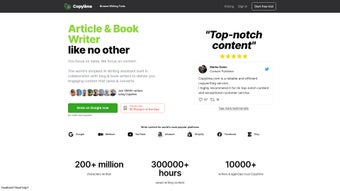

Download Copylime – AI‑Powered Copywriting Tool, Free Trial, Secure Updates
Overview
Copylime is a subscription‑based AI tool that turns the tedious process of copywriting into a fast, reliable, and enjoyable experience. Designed for marketers, entrepreneurs, freelancers, and anyone who needs high‑quality written content on a regular basis, Copylime offers a suite of automated writing assistants that cover everything from brainstorming headlines to crafting full‑fledged product descriptions. The platform’s core strength lies in its versatility: a Starter Tool helps you generate a solid first draft from a simple keyword list, while a Paragraph Tool expands those ideas into polished, SEO‑friendly sentences.
Specialized utilities such as the List Builder, Cold Email Composer, Meta Description Generator, and Landing Page Hero Text Creator ensure that you have the right wording for any channel, whether it’s an email campaign, a blog post, or a sales page. Users consistently praise Copylime for its ability to boost productivity, reduce writer’s block, and improve the overall quality of their copy. By integrating built‑in SEO optimization features, the software not only helps you write better but also helps your content rank higher in search results.
Whether you’re a seasoned copywriter looking to speed up repetitive tasks or a small business owner needing a reliable content partner, Copylime provides a secure, constantly updated environment that keeps you ahead of the competition.
Core Features & Tools
All‑in‑One Writing Suite
- Starter Tool: Generates a coherent draft from a set of keywords, ideal for blog outlines or ad copy.
- Paragraph Tool: Expands brief ideas into fully formed, SEO‑optimized paragraphs with a natural tone.
- List Builder: Creates bullet‑point lists, FAQs, or step‑by‑step guides in seconds.
- Headline Generator: Produces attention‑grabbing titles tailored to your target audience and platform.
- Cold Email Composer: Crafts persuasive outreach emails that increase open and response rates.
- Product Description Writer: Delivers detailed, conversion‑focused descriptions for e‑commerce listings.
- Meta Description Tool: Generates concise, keyword‑rich meta tags that improve click‑through rates.
- Landing Page Hero Text Tool: Designs compelling hero sections that capture visitor interest immediately.
- SEO Optimization Layer: Built‑in analysis checks keyword density, readability, and LSI terms.
- Collaboration Mode: Allows multiple team members to edit and comment on drafts in real time.
Why These Features Matter
Each component of Copylime is engineered to address a specific pain point in the content creation workflow. The Starter Tool eliminates the dreaded blank‑page syndrome by providing a structured foundation, while the Paragraph Tool ensures that the foundation is built with high‑quality language that satisfies both readers and search engines. List Builder and Headline Generator save hours that would otherwise be spent brainstorming variations, enabling rapid A/B testing across campaigns.
The Cold Email Composer and Product Description Writer are especially valuable for sales‑driven teams, turning generic outreach into personalized, data‑backed messages that resonate with prospects. Meanwhile, the SEO Optimization Layer works silently in the background, flagging potential issues before you hit “publish,” which translates to better organic visibility without additional third‑party tools. Collaboration Mode further amplifies team efficiency, allowing editors, designers, and marketers to converge on a single copy draft, reducing version control headaches and ensuring brand consistency.
Installation, Usage & Compatibility
Getting Started – Simple Installation Process
Copylime is a cloud‑based SaaS solution, which means there’s no heavy software to download or install on your local machine. To begin, visit the official Copylime website, click the “Free Trial” button, and create an account using your email address or Google credentials. After confirming your email, you’ll be redirected to the dashboard where the full suite of tools is instantly available. For users who prefer a desktop experience, Copylime offers optional native apps for Windows 10/11 and macOS 12+, providing offline caching for drafts that sync automatically once you’re back online. Mobile users on Android 8+ and iOS 13+ can download the companion app from Google Play or the Apple App Store, ensuring you can generate copy on the go.
Step‑by‑Step Usage Guide
- Select a Tool: From the left‑hand menu, choose the tool that matches your current task (e.g., “Headline Generator”).
- Enter Input: Provide a keyword, product name, or brief description in the input field. For advanced users, you can add tone, target audience, and word count constraints.
- Generate: Click “Generate” and watch as the AI produces multiple variants within seconds.
- Refine: Use the built‑in editor to tweak the output. You can also ask the AI to “re‑write” or “expand” specific sections.
- SEO Check: Hit the “SEO Review” button to see a score and recommendations for improvement.
- Export: Download the final copy as a .txt, .docx, or directly copy to your clipboard. Integration with Google Docs, WordPress, and HubSpot allows one‑click publishing.
System Compatibility (itemprop="operatingSystem")
- Web browsers: Chrome, Firefox, Edge, Safari (latest versions)
- Desktop apps: Windows 10/11, macOS 12+ (Intel & Apple Silicon)
- Mobile apps: Android 8+ (Google Play), iOS 13+ (App Store)
Pros & Cons
Pros
- All‑in‑one platform eliminates the need for multiple subscription tools.
- AI generates high‑quality, SEO‑friendly copy in seconds.
- Intuitive UI suitable for beginners and power users alike.
- Cross‑device compatibility ensures you can work anywhere.
- Collaboration features streamline team workflows.
Cons
- Subscription pricing may be high for solo freelancers on a tight budget.
- Reliance on internet connectivity for full functionality.
- Advanced customization (e.g., brand voice training) requires higher‑tier plans.
Review Summary: Copylime delivers a powerful blend of speed, versatility, and SEO insight. While the price point reflects its premium capabilities, the time saved on content creation justifies the investment for most businesses.
Frequently Asked Questions
Is there a free trial available for Copylime?
Yes, Copylime offers a 7‑day free trial with access to all core tools. No credit card is required to start the trial.
Can I use Copylime offline?
The desktop apps cache drafts locally, allowing you to write offline. However, AI generation and SEO analysis require an internet connection.
What platforms does Copylime integrate with?
Copylime integrates directly with Google Docs, WordPress, HubSpot, and major email marketing services such as Mailchimp and SendGrid.
How does Copylime handle data security and privacy?
All data is transmitted over TLS 1.3 encryption, stored in GDPR‑compliant servers, and is never sold to third parties. Users can delete their content permanently from the dashboard.
What subscription plans are offered?
Copylime provides a Basic plan at $29/month, a Professional plan at $59/month (includes brand‑voice training), and an Enterprise plan with custom pricing and dedicated support.
Conclusion & Call to Action
Copylime stands out in the crowded AI‑writing market by delivering a comprehensive, user‑friendly suite that addresses the full spectrum of copywriting needs. Its ability to generate high‑quality, SEO‑optimized text quickly translates into tangible time and cost savings for businesses of all sizes. While the subscription cost may be a consideration for solo freelancers, the platform’s productivity boost and built‑in collaboration tools often offset the expense.
If you’re looking to eliminate writer’s block, speed up content creation, and improve search‑engine performance, Copylime is a solid investment. Ready to experience effortless copywriting? Start your free trial today and see how AI can transform your writing workflow.



.png)



